Página sin traducir
Esta página aún no está disponible en español. El contenido se muestra en inglés.
Dashboard
The Dashboard provides an overview of device identity, current health, and system telemetry.
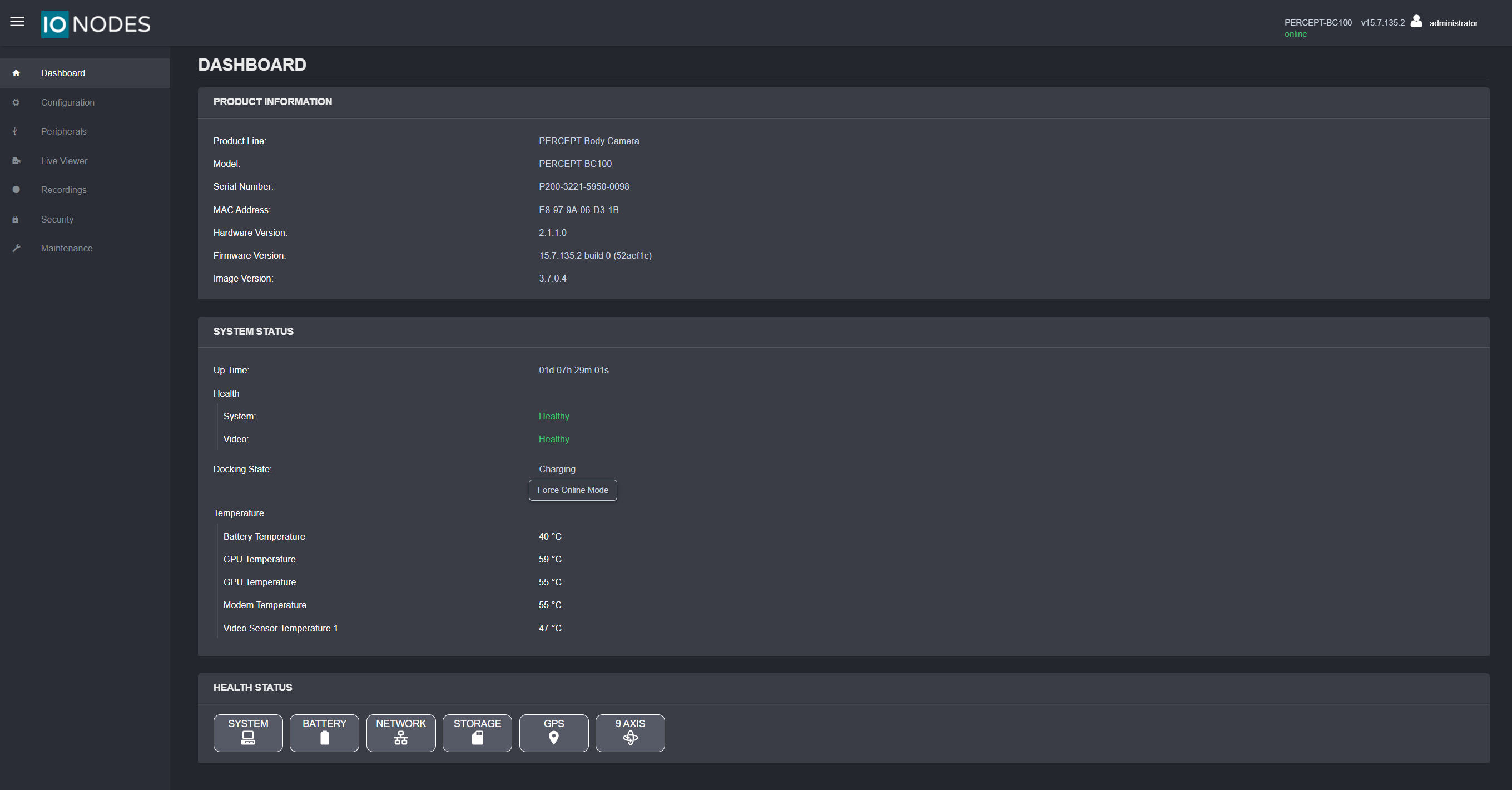
Product Information
The Product Information panel identifies the device and installed software:
- Product line and model
- Serial number
- MAC address
- Hardware version
- Firmware version
- Image version
System Status
The System Status panel summarizes runtime state:
- Up Time: Current elapsed runtime since boot.
- Health: Component health indicators for system and video pipelines.
- Docking State: Whether the camera is currently docked, undocked, or charging. While docked or charging, a Force Online Mode button is available to keep the camera network-connected instead of switching to an offline charging state.
- Temperature: Live temperature readings for battery, CPU, GPU, modem, and video sensor.
Health Status
The Health Status panel provides category-based status views:
- System
- Battery
- Network
- Storage
- GPS
- 9 Axis
Connection State
The top-right status indicator shows camera connectivity to the web interface.
- online: Device is reachable.
- offline: Device is temporarily unavailable, such as during reboot or firmware update.
Language
To change the web interface language from English to French, select the user icon, then select Fr.