Maintenance
Maintenance operations available from the PERCEPT BC200 web interface.
- Access the web interface either directly on the device or remotely from another computer.
- Log in with an account that has maintenance permissions.
- Open the Maintenance page.
Diagnostic Reports
Generate a diagnostic package for support. In the interface, this action is labeled SysInfo.
- Open the Maintenance page.
- Download the SysInfo file.
- Save the generated file and share it with IONODES technical support when requested.
Note
The SysInfo file contains technical diagnostics such as configuration details and logs used for troubleshooting.
Firmware Update
Update the PERCEPT BC200 firmware from the web interface.
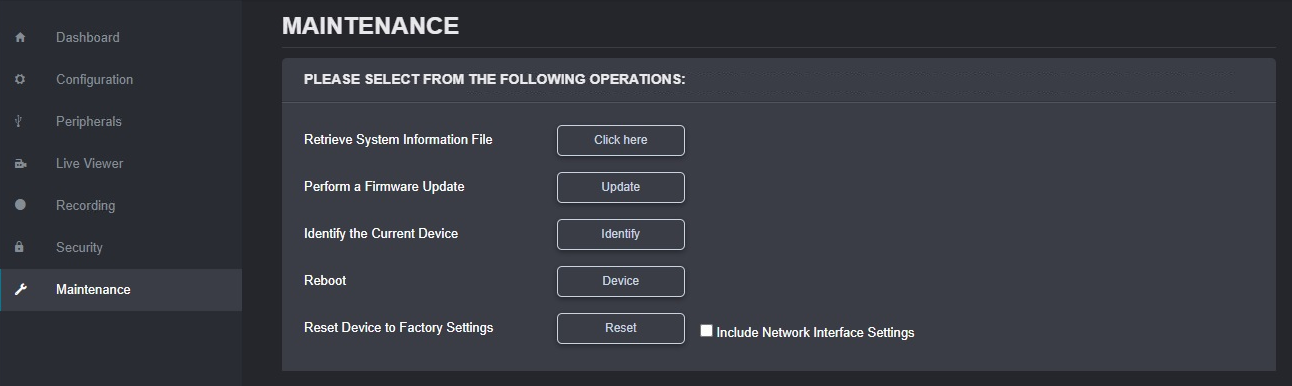
- Open the Maintenance page.
- Select the firmware update action.
- Upload the .iof firmware file provided by IONODES.
- Wait for the update workflow to complete.
Note
During the update process, the web interface may disconnect while the device reboots and then reconnect automatically.
Reboot
Restart the device without changing configuration.
- Open the Maintenance page.
- Select Reboot.
- Confirm the action when prompted.
- Wait for the device to restart, then reconnect to the interface.
Factory Reset
Restore factory settings from the web interface.
- Open the Maintenance page.
- Select the factory reset action.
- Choose whether to preserve network settings, then confirm the reset.
Warning
Factory reset can remove user configuration and locally stored data depending on selected options.
Device Identification
Identify the current unit in the field by triggering visible and haptic indicators.
- Open the Maintenance page.
- Select the identify action.
- Confirm the camera flashes its LED and vibrates.
Motion Sensor Calibration
After some operations, especially full resets, the body camera can request motion sensor recalibration.
To recalibrate:
- Hold the camera vertically and rotate it slowly through 360 degrees.
- Hold the camera on its side and repeat the 360 degree rotation.
- Wait for the calibration warning to disappear from the display.