Product Overview
The following diagram identifies the main external components of the PERCEPT BC200.
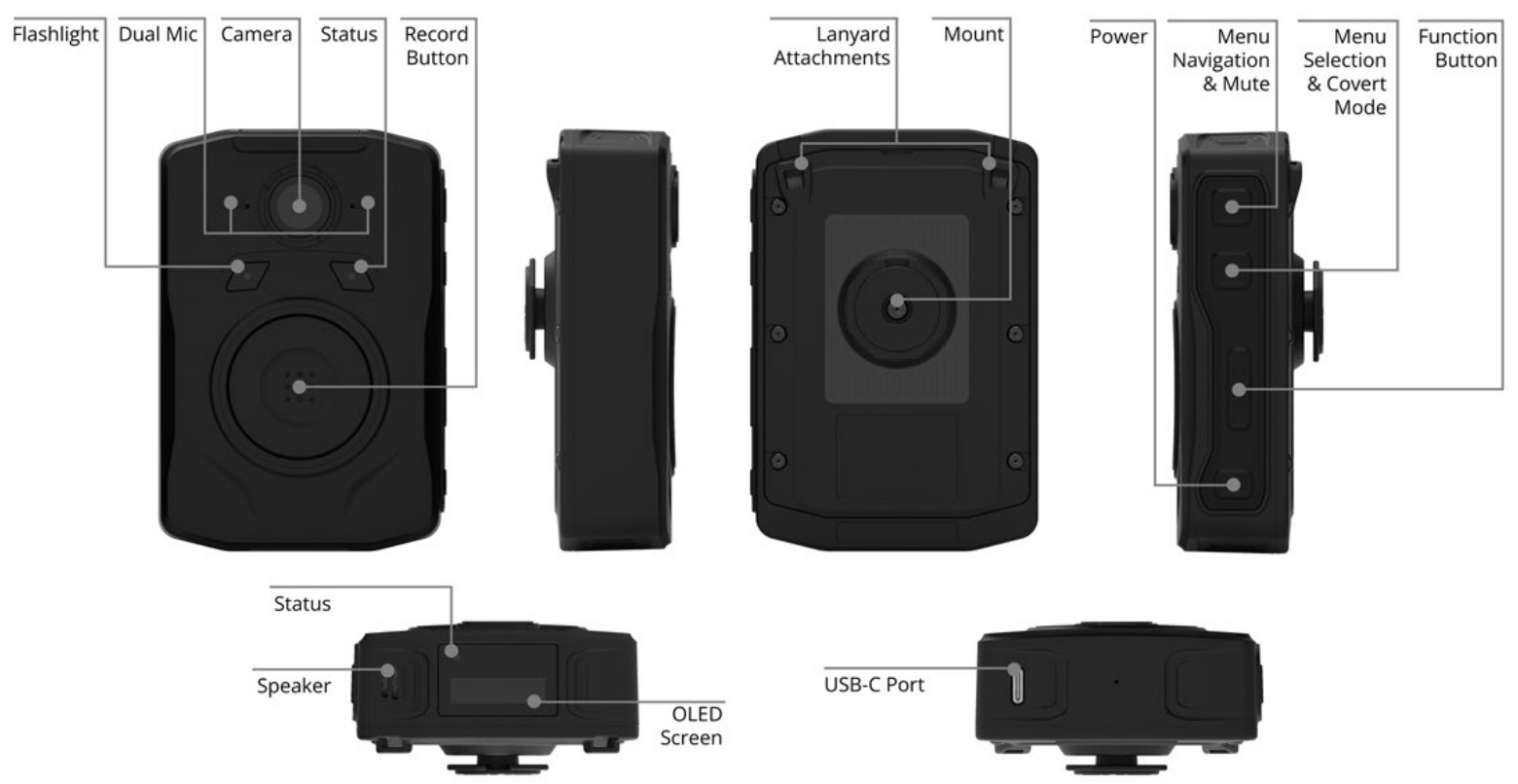
| Location | Component | Description |
|---|---|---|
| Front | Flashlight | Provides auxiliary illumination. |
| Front | Dual Microphones | Capture audio. |
| Front | Camera | Captures video recordings and images. |
| Front | Front Status LED | Indicates device status. |
| Front | Record Button | Primary recording control. |
| Back | Mount | Klick Fast-compatible mounting interface [1]. |
| Back | Lanyard Attachments | Attachment points for a lanyard. |
| Side | Menu/Mute Button | Menu and mute control. |
| Side | Select/Covert Button | Menu selection and covert mode control. |
| Side | Function Button | User-programmable function control. |
| Side | Power Button | Powers the device on and off. |
| Top | Speaker | Provides audio feedback and alerts. |
| Top | Top Status LED | Indicates device status. |
| Top | Display | Displays device status and notifications. |
| Bottom | USB-C Port | Used for charging and wired connectivity. |
[1] The PERCEPT BC200 includes a pre-installed Klick Fast-compatible mounting interface. Compatible Klick Fast carrying accessories (belt, vest, MOLLE, harness, and lanyard mounts) are sold separately.
For detailed button functions, LED behavior, and display status information, see Buttons, LED Status, and Display.