Security
User-account permissions and certificate management.
User Account Management
Open Security to manage local users and certificates.
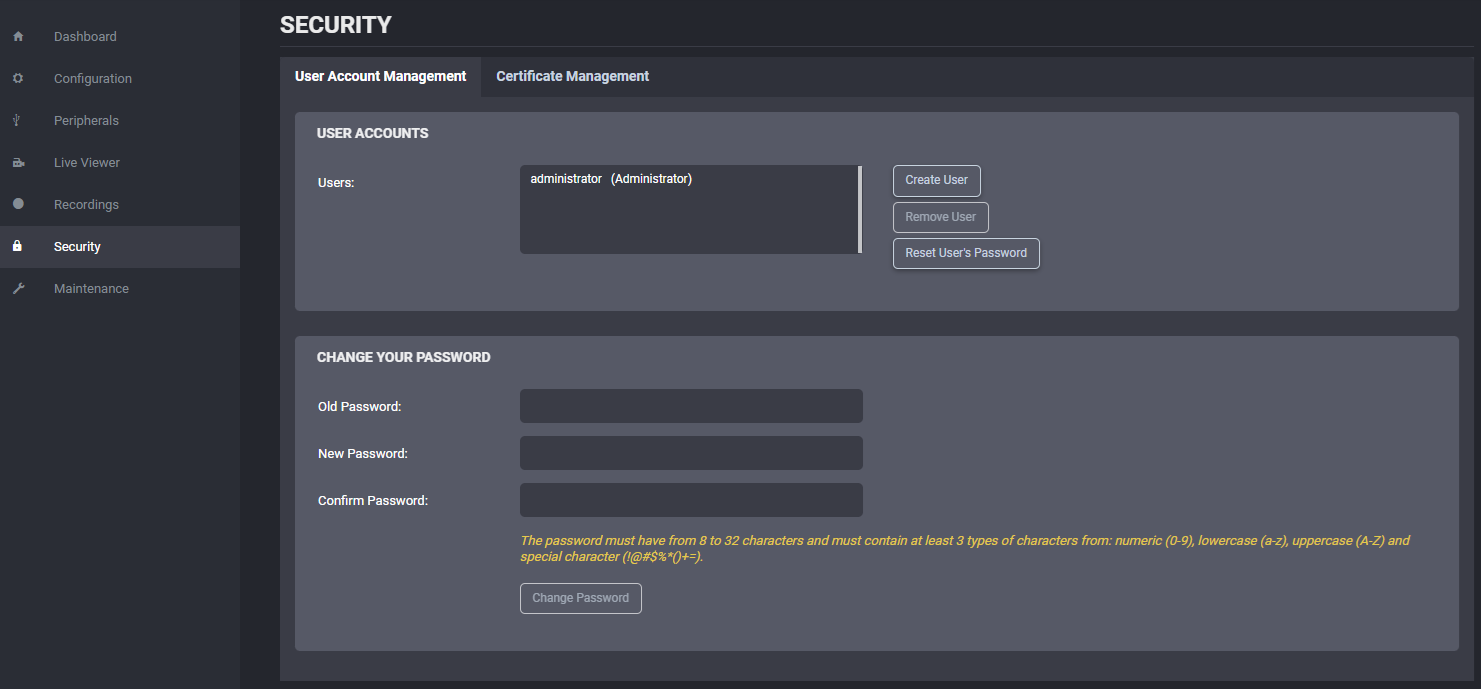
If the signed-in role is not Administrator, only self-service password change is available for that user.
Role summary:
| Role | Capabilities |
|---|---|
| User | Can access product and system status, use Live Viewer, and change their own password |
| Poweruser | Adds access to health status, configuration changes, on-demand recording, and maintenance without firmware update or factory reset |
| Superuser | Adds firmware update and factory reset permissions |
| Administrator | Adds full user-account management |
The built-in administrator account cannot be deleted.
If the administrator password is lost, access must be restored through hard reset recovery. See Troubleshooting.
Tip
Administrator password can also be reset from PERCEPT Cloud when the camera is connected.
Certificate Management
Use certificate management to upload and remove X.509 certificates used for:
- Passwordless Wi-Fi authentication.
Note
On PERCEPT BC200, certificate management is used for Wi-Fi authentication certificates. Custom HTTPS certificate replacement is not supported.
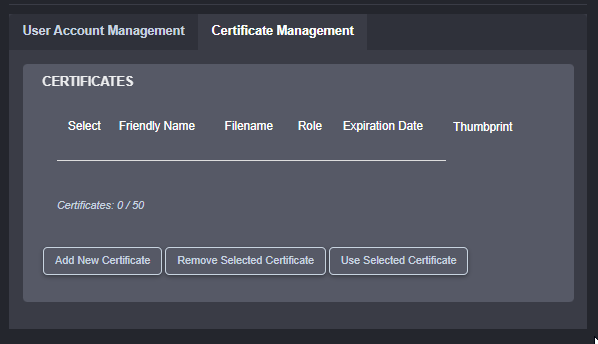
The camera uses a device-specific default certificate.
Warning
Expired or invalid Wi-Fi authentication certificates can prevent the camera from connecting to secured Wi-Fi networks.