Network
Network configuration for Wi‑Fi, Ethernet, LTE, VPN, and network service access.
Network Interfaces
Open Configuration > Network to manage connectivity.
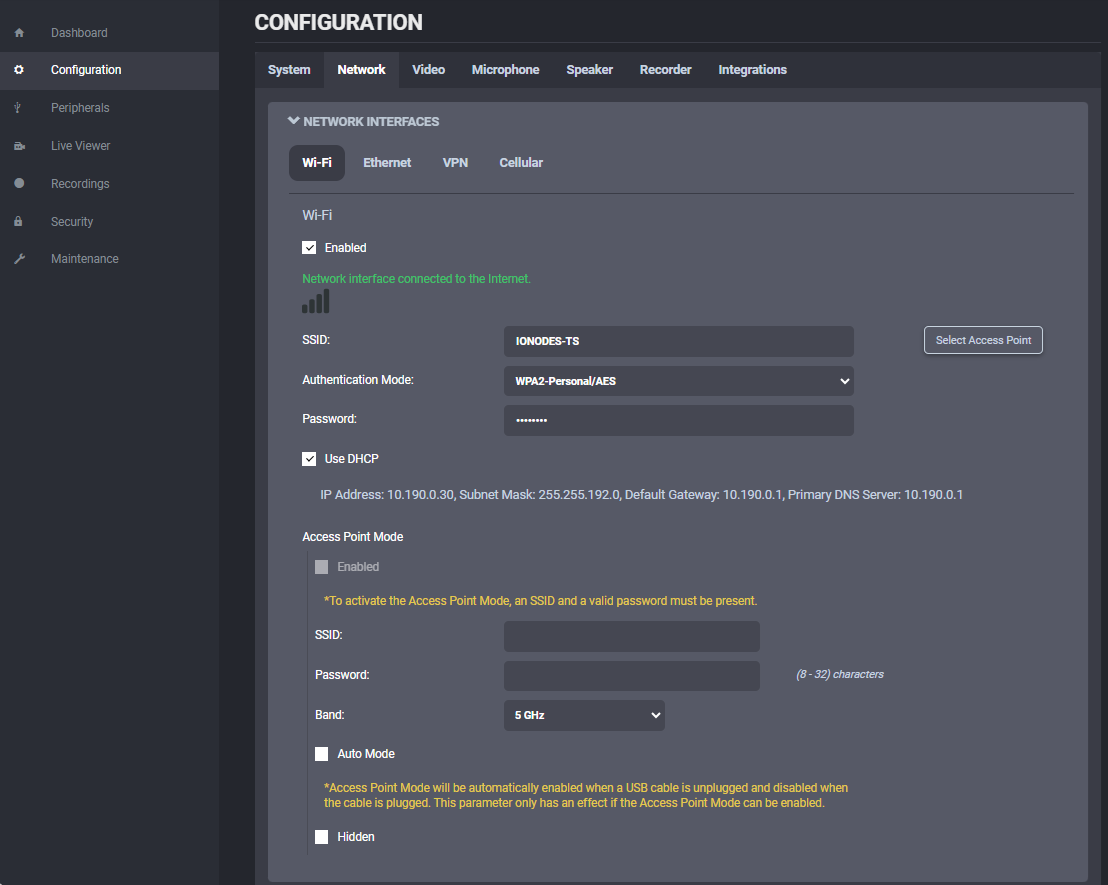
The BC100 supports several interface types:
- Wi‑Fi / Client Mode to join an existing wireless network.
- Wi‑Fi / Access Point to act as a temporary local access point for nearby clients.
- Ethernet to use a wired connection when the camera is inserted into a dock.
- VPN to create a secure tunnel over the internet.
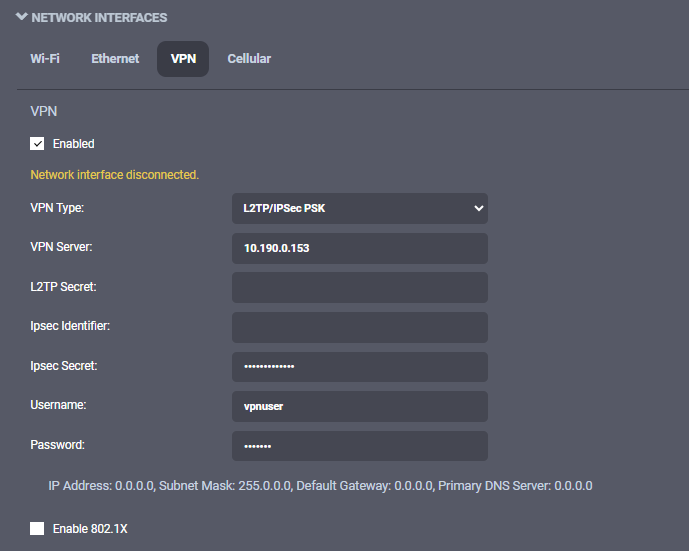
Use Network Interfaces to:
- Join a Wi‑Fi network as a client.
- Enable the camera as a temporary access point.
- Route traffic through the dock Ethernet connection.
- Configure the built‑in VPN client.
For certificate-based Wi‑Fi authentication, upload the required certificates under Security.
Cellular
The Cellular section shows the state of the LTE connection and the traffic policies applied to mobile data.
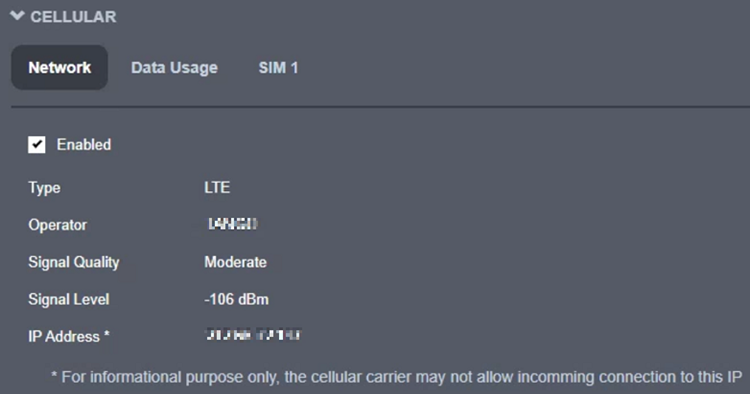
Use the Network subtab to review:
- Whether the cellular link is enabled.
- Signal quality and connection health.
- The IP address assigned to the mobile connection.
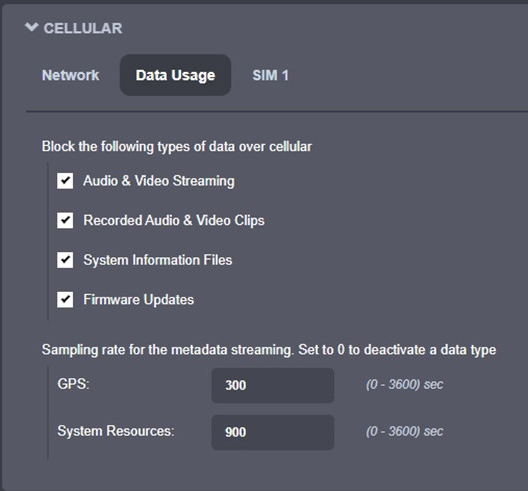
Use the Data Usage subtab to allow or block:
- Live audio and video streaming.
- Recorded clips.
- System information files.
- Firmware updates.
- Metadata streaming such as GPS and system resources.
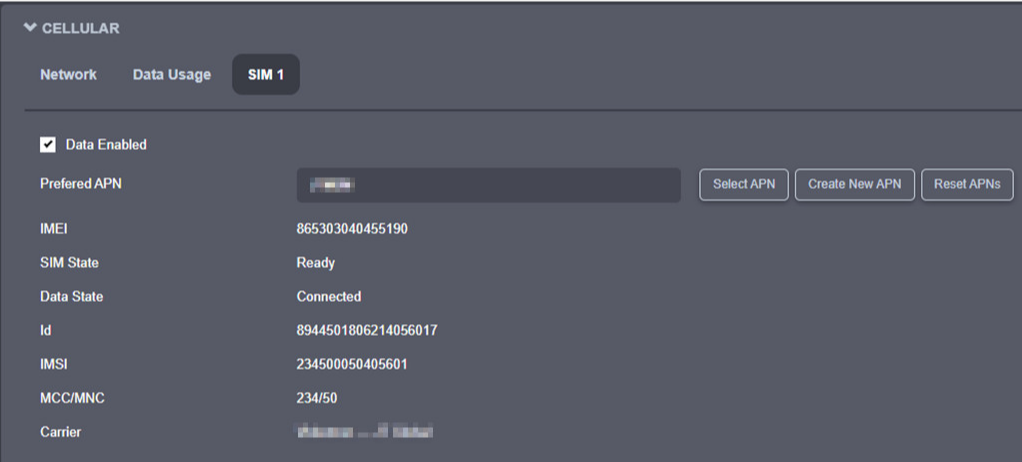
Use SIM 1 and SIM 2 to review SIM presence, connectivity, and APN settings. The camera can also display mobile-data status and the configured cellular profile for the active SIM.
When using an IONODES SIM card, the camera automatically detects and configures the APN.
Host Name Configuration
Set the Host Name Configuration value when the camera needs a predictable network name instead of being identified only by its IP address.
Streaming
The Streaming section contains two key controls:
- Media to block playback over a wireless link.
- Metadata to set GPS and system-resource sampling rates.
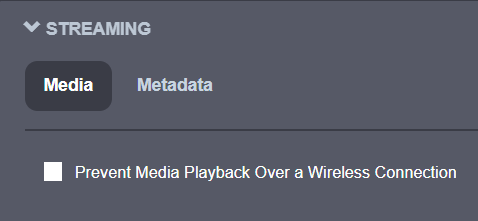
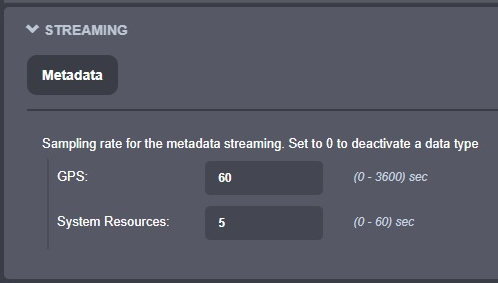
These controls are especially important when bandwidth is limited, such as on Wi‑Fi or LTE.
HTTP Configuration
Use HTTP Configuration to control how the device is reached from a browser.
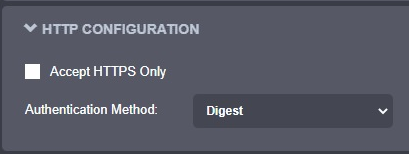
Key options include:
- Accept HTTPS only to force encrypted browser access.
- Authentication mode set to Basic or Digest.
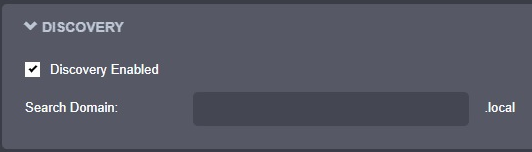
Discovery
Use Discovery to manage Bonjour announcement and the search domain used by local clients.
RTSP Configuration
Use RTSP Configuration to set the authentication method and session timeout for RTSP clients.

Set the session timeout carefully. RTSP clients should send keep-alives before the timeout expires; otherwise the streaming session might close unexpectedly when the network is slow or packet delivery is delayed.
Multicast
Use Multicast to enable or disable multicast streaming globally.

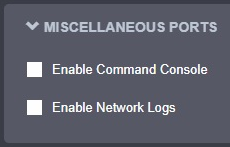
Miscellaneous Ports
Use Miscellaneous ports to enable or disable auxiliary services such as system logs and command console access.