System
General
The General section defines how the camera is identified and how its clock is maintained.
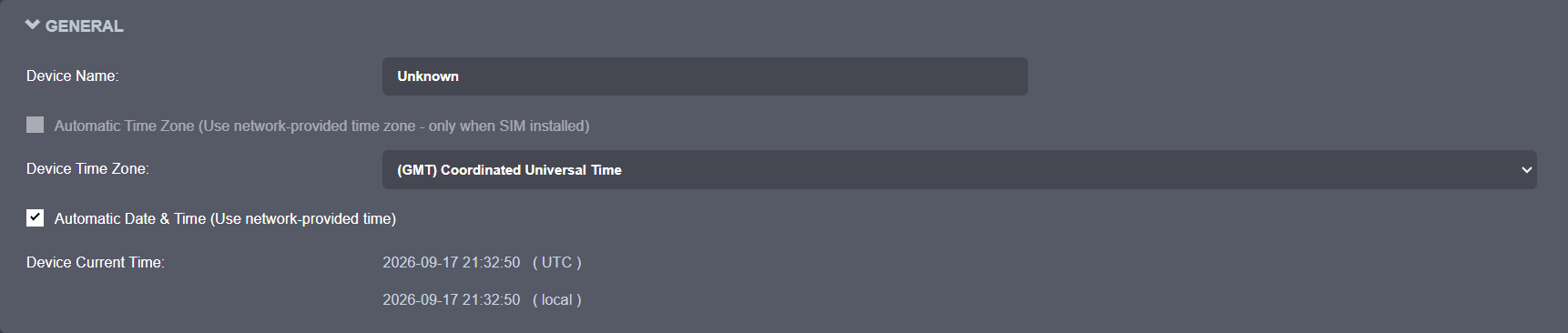
Key options in this section:
- Device Name: The label used to identify the camera in connected systems and management tools.
- Automatic Time Zone: Uses network-provided time zone information when available. Only available when a SIM is installed.
- Device Time Zone: Manual time zone selection for deployments that do not rely on network-provided time zone.
- Automatic Date & Time: Keeps the device clock synchronized automatically using network-provided time instead of relying on manual time entry.
- Device Current Time: Displays the current clock in both UTC and local format for quick verification.
NTP Configuration
Some deployments provide an NTP (Network Time Protocol) server so all devices on the network remain synchronized.
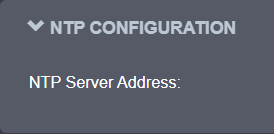
The NTP Server Address defines the time source used by the camera. When the server is reachable, the device clock stays synchronized automatically.
Use an internal NTP server when required by the customer network policy.
Security
The Security section defines password policy and failed-login protection for local accounts.
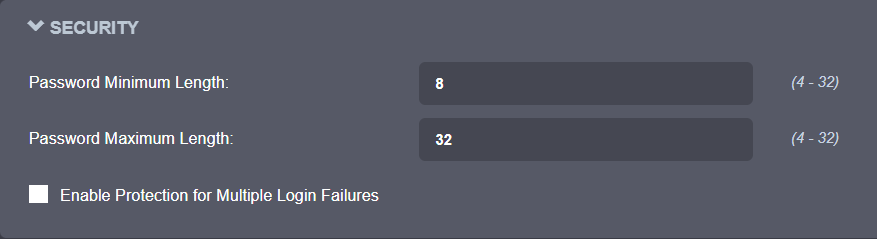
Available settings:
- Password Minimum Length and Password Maximum Length: Valid range of 4 to 32 characters for all local account passwords.
- Enable Protection for Multiple Login Failures: When enabled, blocks login attempts after a configurable number of failures until a configurable timeout elapses.
Device
The Device section controls camera behavior options.
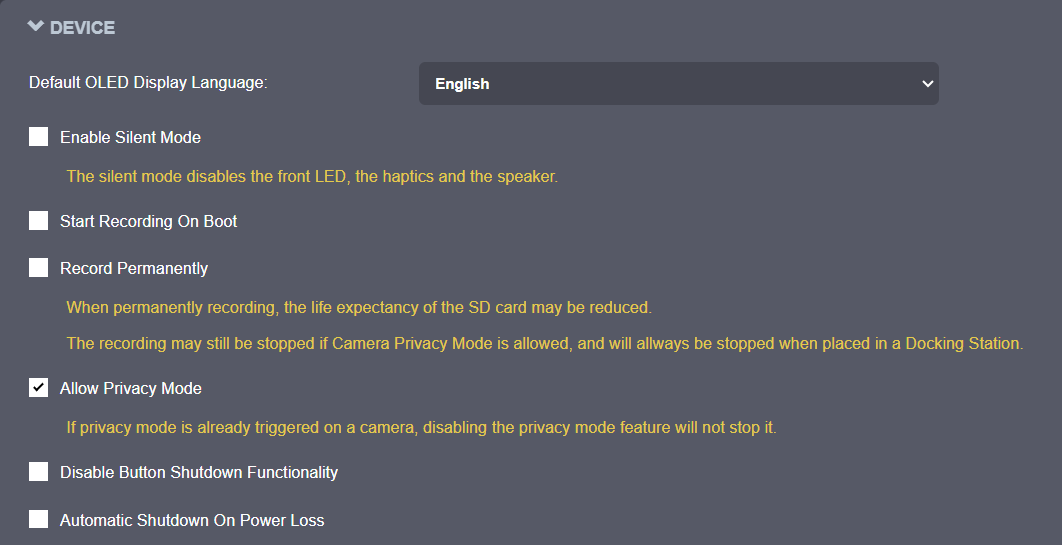
Available options:
- Default OLED Display Language: Language used for text shown on the OLED display.
- Enable Silent Mode: Disables the front LED, the haptics, and the speaker.
- Start Recording On Boot: Starts recording automatically when the camera powers on.
- Record Permanently: Keeps recording continuously; may reduce SD card life expectancy. Recording still stops if Privacy Mode is triggered, or the camera is placed in a Docking Station.
- Allow Privacy Mode: Allows the camera to enter Privacy Mode. Disabling this option does not stop Privacy Mode if it is already active.
- Disable Button Shutdown Functionality: Prevents powering off the camera using the Power button.
- Automatic Shutdown On Power Loss: Powers off the camera automatically after a configured delay when external power is disconnected or lost.
Wearer ID
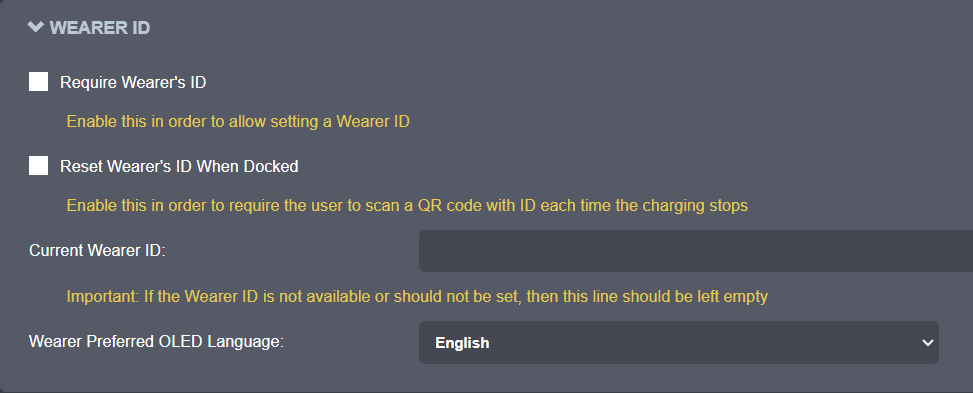
The Wearer ID section controls wearer assignment requirements and reset behavior.
Available options:
- Require Wearer's ID: Enables setting a Wearer ID. Each time the camera is unplugged from the charger, if the Wearer ID is empty, the camera automatically switches to Scan QR mode and waits for a QR code containing the Wearer ID.
- Reset Wearer's ID When Docked: Requires the user to scan a QR code with an ID each time the camera stops charging.
- Current Wearer ID: The active Wearer ID string (up to 24 characters). Leave empty if a Wearer ID is not used.
- Wearer Preferred OLED Language: Language used for wearer-related information shown on the OLED display.
Docking Station
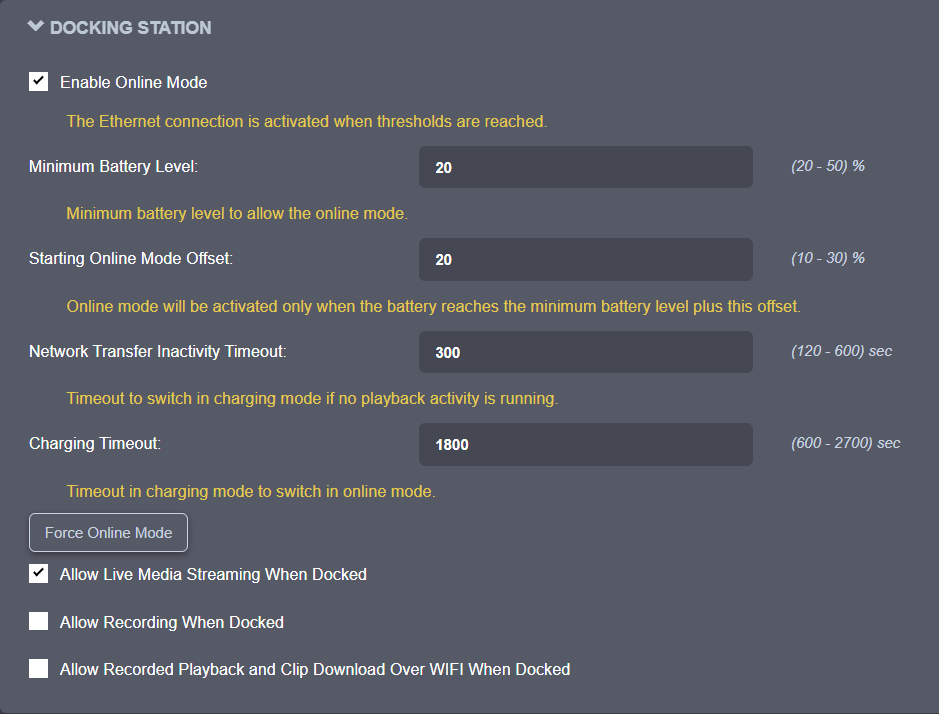
The Docking Station section controls docked online mode and docked media behavior.
Available options:
- Enable Online Mode: Activates the Ethernet connection when the configured battery thresholds are reached.
- Minimum Battery Level: Minimum battery percentage required to allow online mode.
- Starting Online Mode Offset: Online mode starts once the battery reaches the minimum level plus this offset.
- Network Transfer Inactivity Timeout: Time without playback activity before switching to charging mode.
- Charging Timeout: Time in charging mode before switching back to online mode.
- Force Online Mode: Forces the camera into online mode immediately, bypassing the battery thresholds and timeouts above.
- Allow Live Media Streaming When Docked
- Allow Recording When Docked
- Allow Recorded Playback and Clip Download Over WIFI When Docked
Flashlight
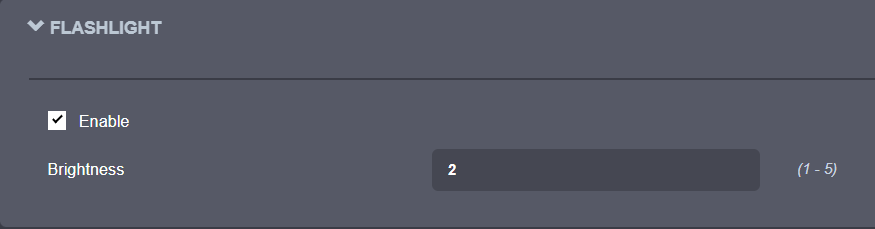
The Flashlight section controls flashlight behavior and brightness.
Available options:
- Enable: Turns the flashlight function on or off.
- Brightness: Flashlight intensity, from 1 (dimmest) to 5 (brightest).
GPS Configuration
The GPS Configuration section controls GPS sampling behavior.

- Sampling: Interval, in seconds, between GPS position samples (1 to 3600 sec).