Dashboard
The Dashboard provides an overview of device identity, current health, and system telemetry.
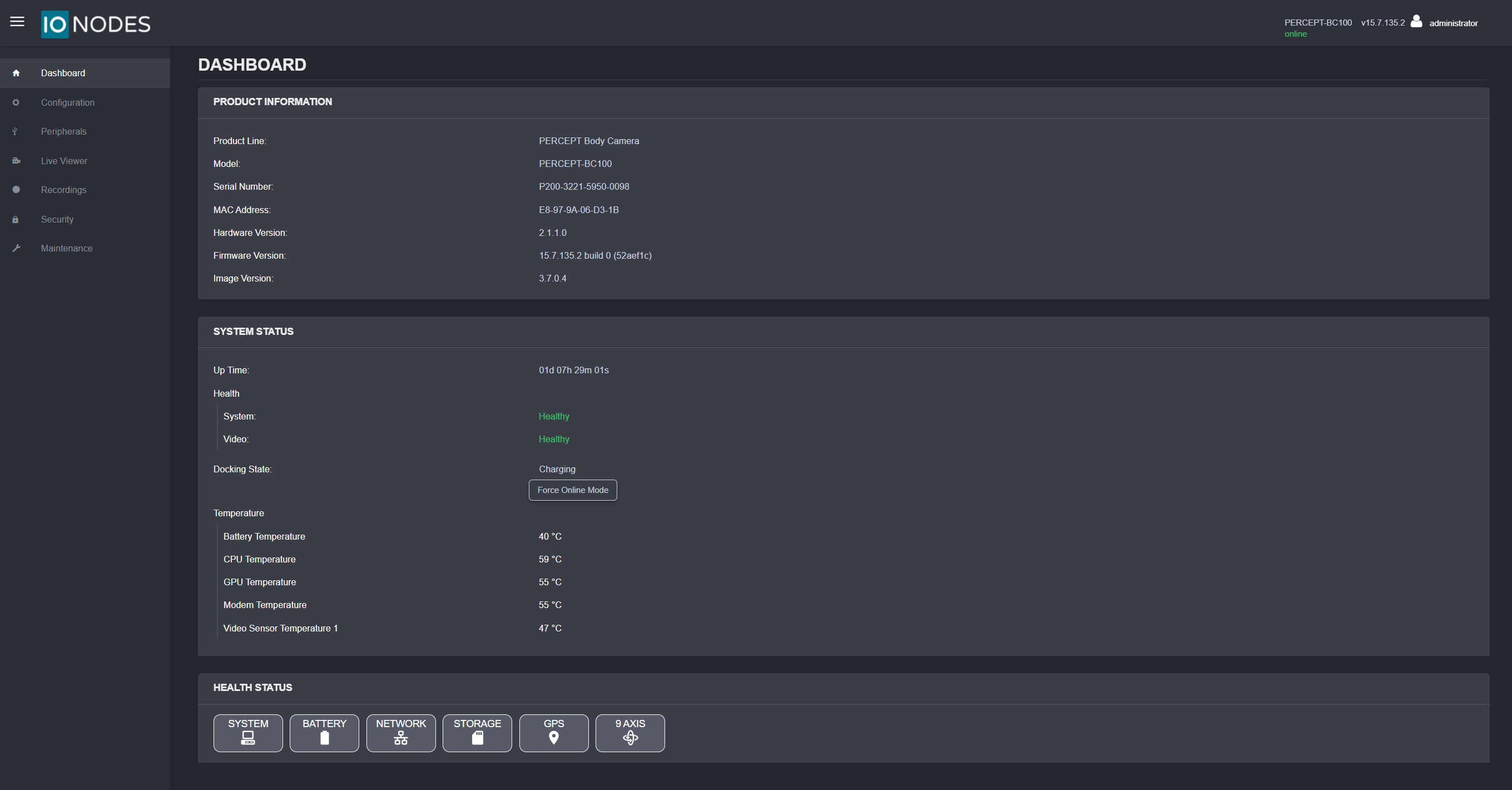
Product Information
The Product Information panel identifies the device and installed software:
- Product line and model
- Serial number
- MAC address
- Hardware version
- Firmware version
- Image version
System Status
The System Status panel summarizes runtime state:
- Up Time: Current elapsed runtime since boot.
- Health: Component health indicators for system and video pipelines.
- Docking State: Whether the camera is currently docked, undocked, or charging. While docked or charging, a Force Online Mode button is available to keep the camera network-connected instead of switching to an offline charging state.
- Temperature: Live temperature readings for battery, CPU, GPU, modem, and video sensor.
Health Status
The Health Status panel provides category-based status views:
- System
- Battery
- Network
- Storage
- GPS
- 9 Axis
Connection State
The top-right status indicator shows camera connectivity to the web interface.
- online: Device is reachable.
- offline: Device is temporarily unavailable, such as during reboot or firmware update.
Language
To change the web interface language from English to French, select the user icon, then select Fr.