Page non traduite
Cette page n'est pas encore disponible en français. Le contenu est affiché en anglais.
Integrations
PERCEPT Cloud
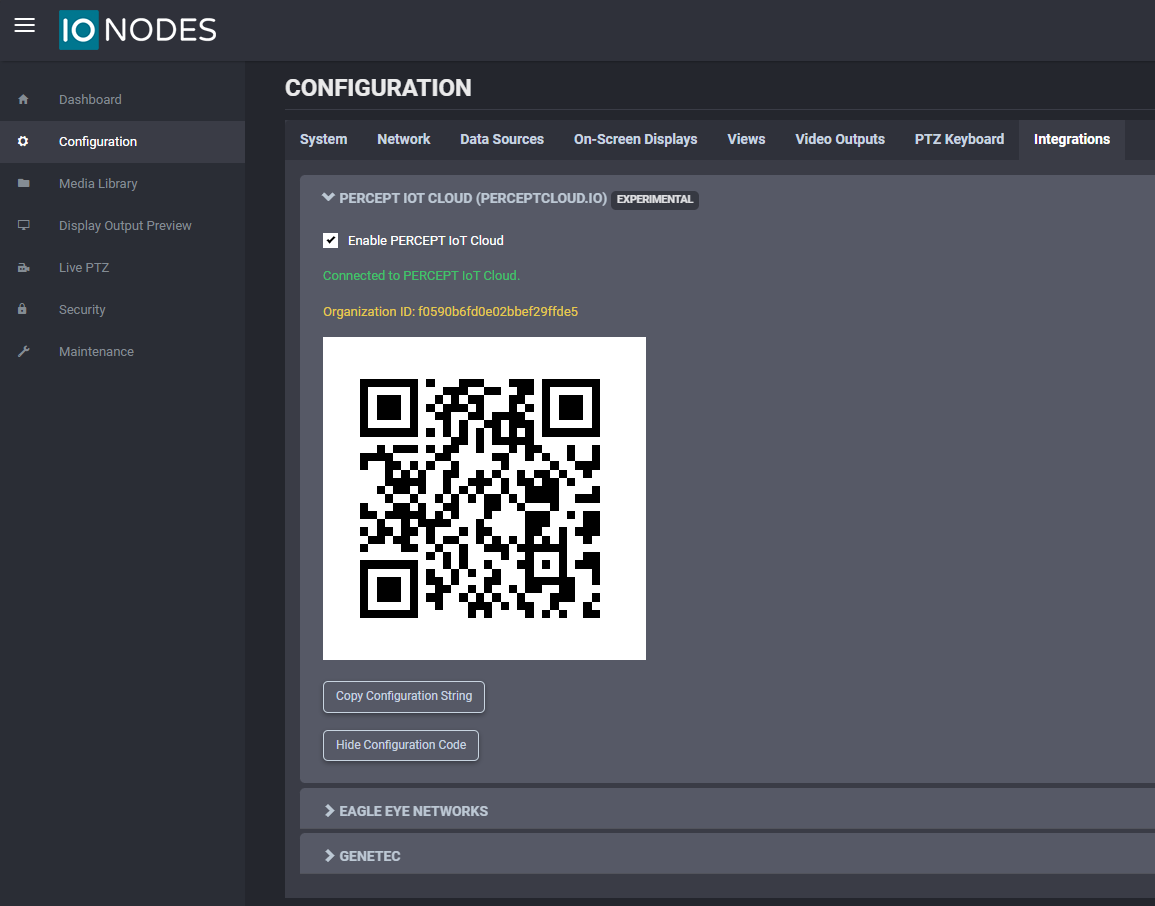
In the Configuration page, select the Integrations tab and expand the first section, PERCEPT Cloud.
The ION-R100S can be connected to PERCEPT Cloud for monitoring and management. Use this page to retrieve the information required for onboarding.
Ensure that Enable PERCEPT IoT Cloud is checked.
Note
When the device is already onboarded, the state appears in green as Connected to PERCEPT IoT Cloud. The Organization ID is also shown and can be used to identify which PERCEPT Cloud organization a device belongs to.
For prerequisites, onboarding instructions, and network requirements, see the PERCEPT Cloud integration guide.
Eagle Eye Networks
In the Configuration page, select the Integrations tab and expand the Eagle Eye Networks section.
The ION-R100S can be connected to Eagle Eye Networks Cloud VMS for cloud integration. Use this section to configure the required account information.
API v3
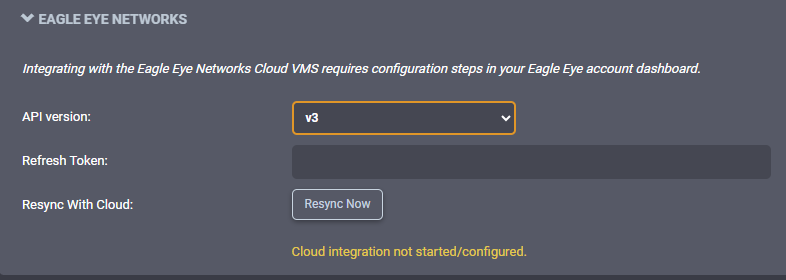
Use this setup when the Eagle Eye account provides a refresh token.
- Set API version to v3.
- Enter the Refresh Token.
- Click Resync Now to apply and test cloud synchronization.
API v2
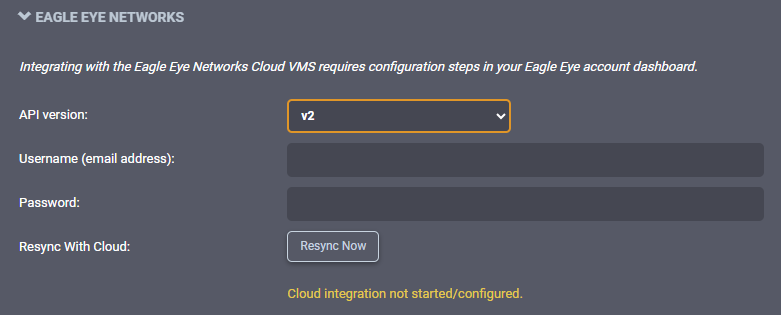
Use this setup when the Eagle Eye account requires username and password authentication.
- Set API version to v2.
- Enter Username (email address) and Password.
- Click Resync Now to apply and test cloud synchronization.
Note
If the status shows Cloud integration not started/configured, verify the selected API version and credentials/token, then run Resync Now again.
For the username/password integration workflow, network setup, and layout validation, see the Eagle Eye Networks integration guide.
Genetec
In the Configuration page, select the Integrations tab and expand the Genetec section.
The ION-R100S can be integrated with Genetec. Use this section to configure how many outputs are reported.

Set Outputs Reported using the value field or the slider (range: 0 to 48), then save/apply the configuration.
For compatibility requirements, enrollment, camera assignment, and deployment validation, see the Genetec Security Center integration guide.