System
General
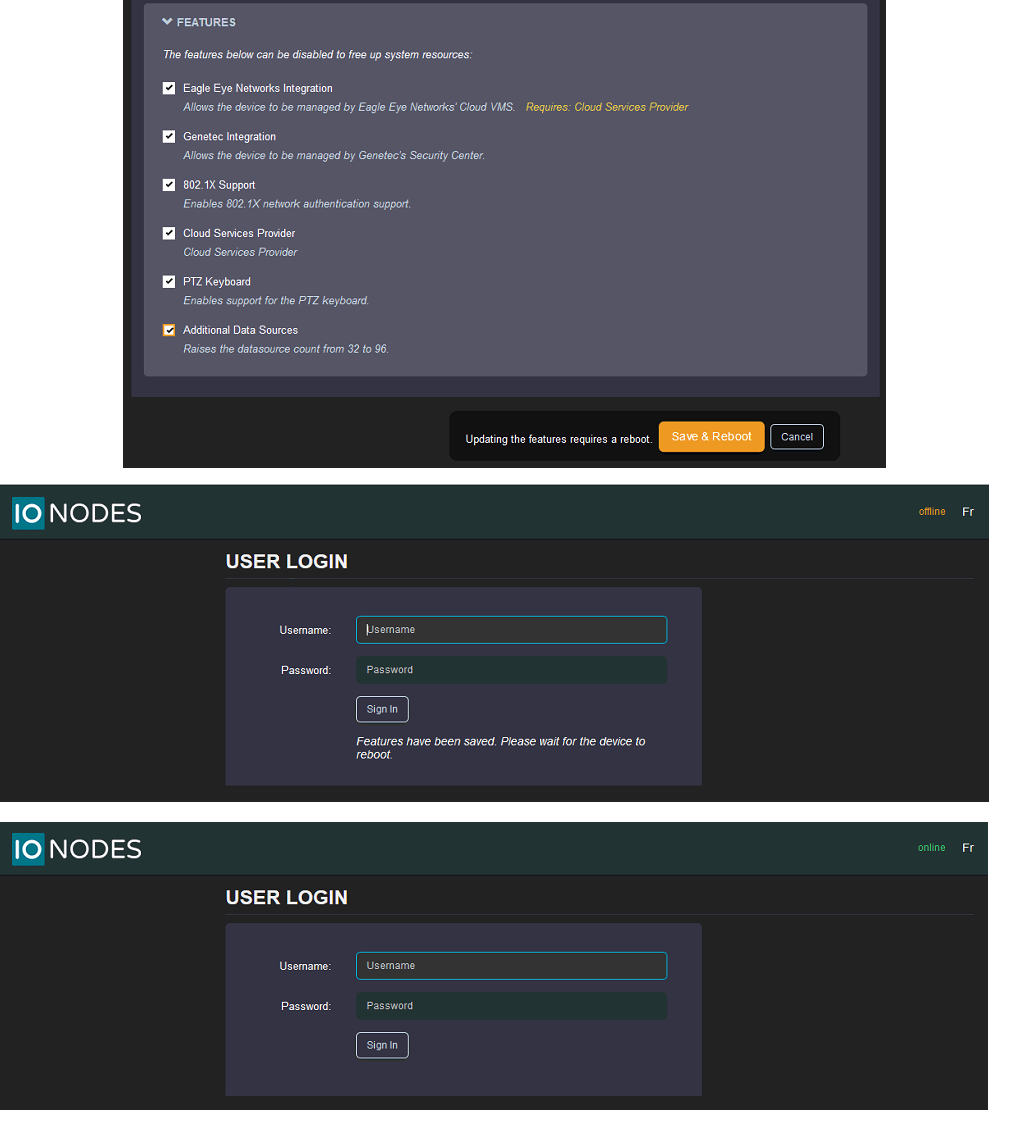
In the Configuration page, select the System tab and expand the first section, General.
The General section includes device name and time-related settings.
To set the time zone in the device, select the appropriate value from the list in Device Time Zone and then click on Resynchronize Device's Time. Click the Save button to apply the changes.
NTP Time Server
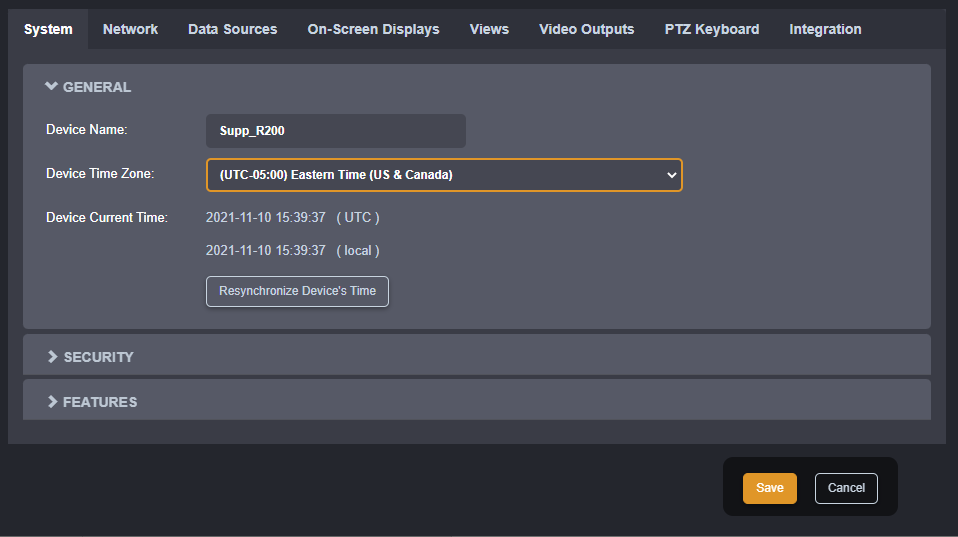
Some networks use a time server, also named NTP (Network Time Protocol) time server. The role of a time server is to synchronize the clocks of all devices on the network. The ION-R150 can be configured to use such a time server to synchronize its internal clock.
In the Configuration page, select the System tab and scroll down to the NTP Configuration section. Set the proper NTP server address under the NTP Configuration header. Click the Save button to apply the changes.
Security Policy
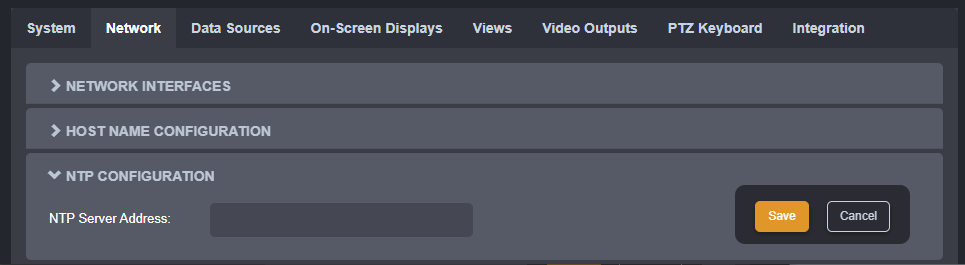
In the Configuration page, select the System tab and go down to the section Security.
Here the user can define the minimum & maximum length of the password for all user accounts. By checking the Enable Protection for Multiple Login Failures box, the device is instructed to block all login attempts after X failed ones, until the timeout of Y seconds runs out (X and Y are user-configurable).
Features
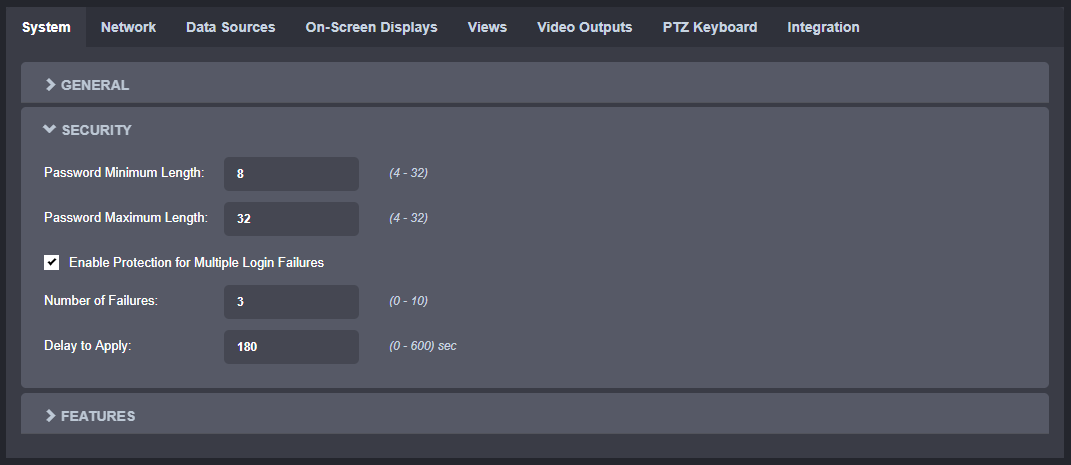
In the Configuration page, select the System tab and go down to the section Features.
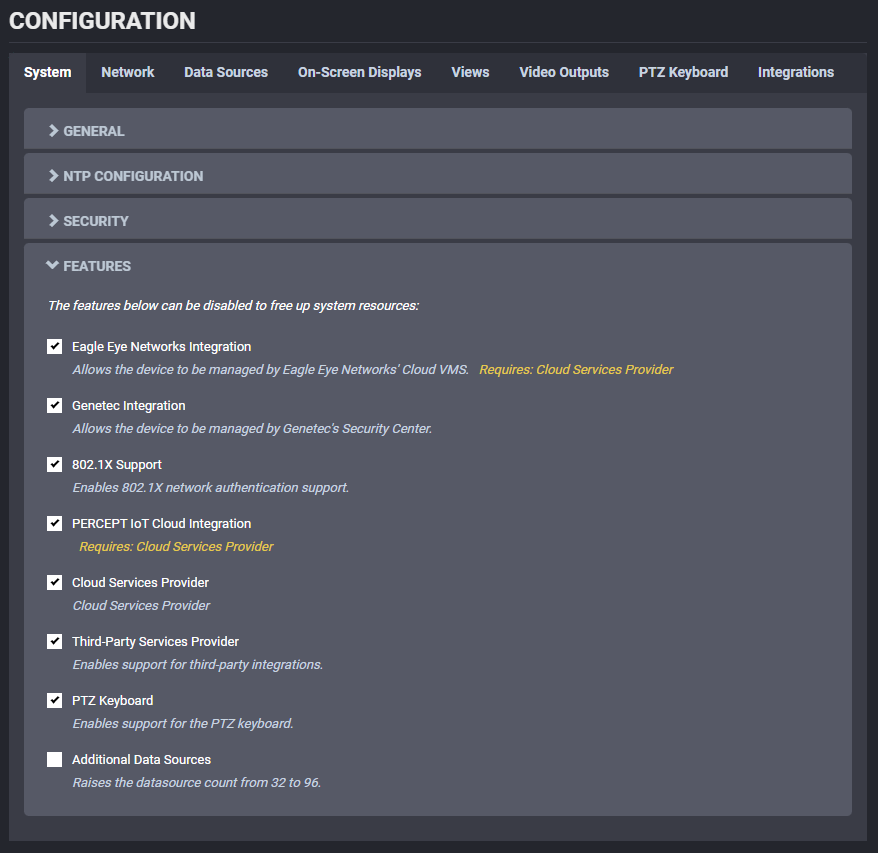
For each feature a brief description is provided.
Enabling/disabling a feature will require a reboot of the device, so that the corresponding service is started/stopped.
Warning
Enabling Additional Data Sources will increase the number of data sources that can be configured from the default 32 to 96. When going back from 96 to 32 (by disabling the feature), all data sources above 32 will be lost.