Product Overview
Connections
The ION-R200 offers several connection ports.
Front Panel
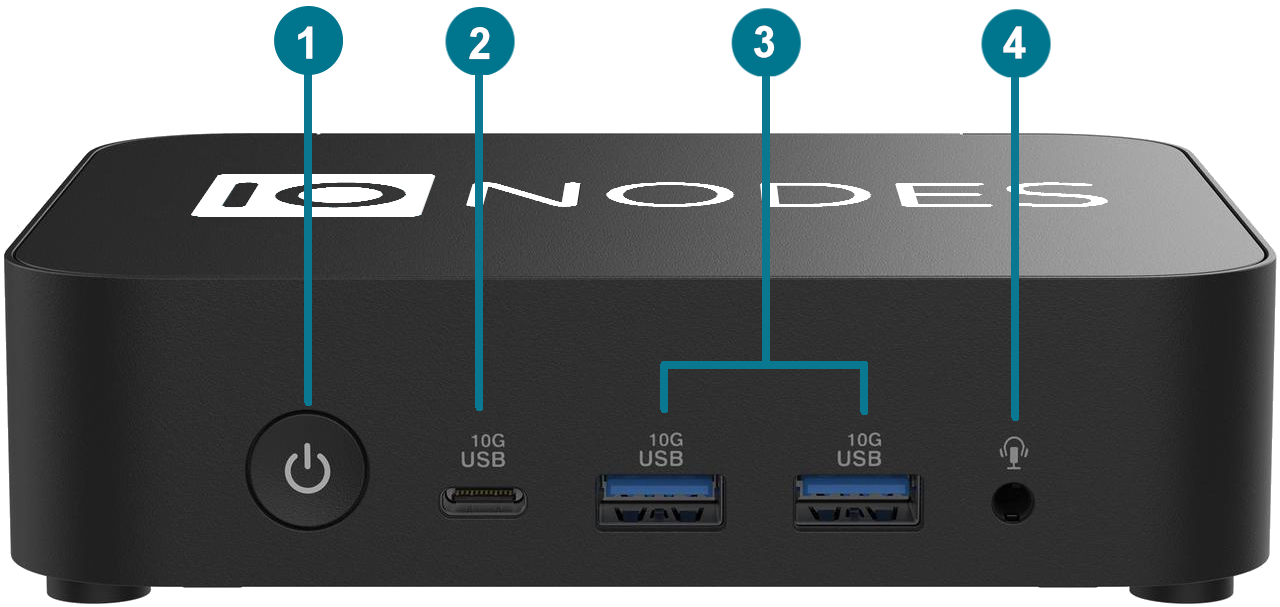
- Power On / Off: Button used to boot up or shut down the device. Its LED indicates when the appliance is powered on.
- USB 3.2 Type-C: Not used.
- 2 x USB 3.2: General-purpose ports for an optional keyboard, mouse, or USB-to-Ethernet adapter.
- Audio jack: Not used.
Rear Panel
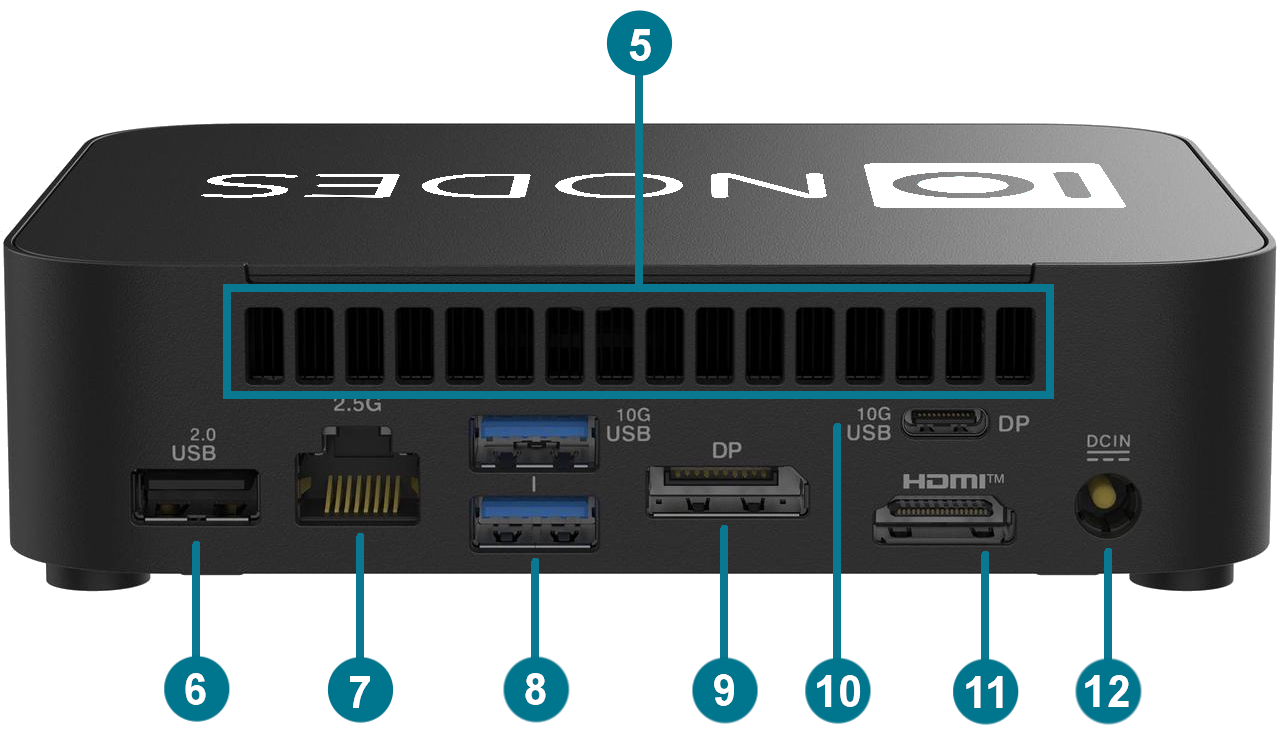
- Air vents: Keep clear to allow proper ventilation.
- USB 2.0: General-purpose port for an optional keyboard, mouse, or USB-to-Ethernet adapter.
- Ethernet: One built-in 2.5 Gigabit Ethernet port. Use an RJ45 CAT5e or CAT6 cable. The ION-R200 cannot be powered using Power-over-Ethernet (PoE).
- 2 x USB 3.2: General-purpose ports for an optional keyboard, mouse, or USB-to-Ethernet adapter.
- DisplayPort 1.4: Dual-mode video output supporting resolutions up to 4K at 60 Hz. A passive DisplayPort-to-HDMI adapter is included.
- USB 3.2 Type-C with DisplayPort 1.4 alternate mode: General-purpose USB port or alternate video output supporting resolutions up to 4K at 60 Hz. A video adapter is not included.
- HDMI Out: HDMI 2.1 interface with TMDS, supporting resolutions up to 4K at 60 Hz.
- Power: Connect the supplied 19 V DC power adapter.
Note
The ION-R200 supports a maximum of two connected displays. It has been qualified using the HDMI output and the DisplayPort output with the included adapter. The rear USB-C display output may be used instead, provided no more than two displays are connected.
Note
The ION-R200 supports an optional USB-to-Ethernet adapter. Only IONODES-provided adapters are officially supported. See USB-to-Ethernet Adapter.
Note
The ION-R200 also supports wireless networking. See Wireless.
Package Contents
| Qty | Description |
|---|---|
| 1 | ION-R200 appliance |
| 1 | 19 V DC power supply with US power cord (EU/UK power cords are optional) |
| 1 | Passive DisplayPort-to-HDMI adapter |
| 1 | VESA mounting bracket and screws |
| 1 | Product flyer |
Note
When unpacking, inspect the shipment box and appliance for shipping damage. Verify that all items have been delivered. Contact an IONODES representative if any damage, defects, or missing items are identified.
Note
The product serial number label allows IONODES product support to identify the device and its factory configuration when service is required. The label is attached to the underside of the enclosure.