Installation
Equipment Installation
The ION-R300 can be installed on a flat surface or mounted using the included VESA hardware.
Desktop Placement
Place the ION-R300 on a flat, stable surface such as a desktop. Position the unit to allow cable clearance at the front and maintain adequate airflow around the enclosure.
VESA Mounting
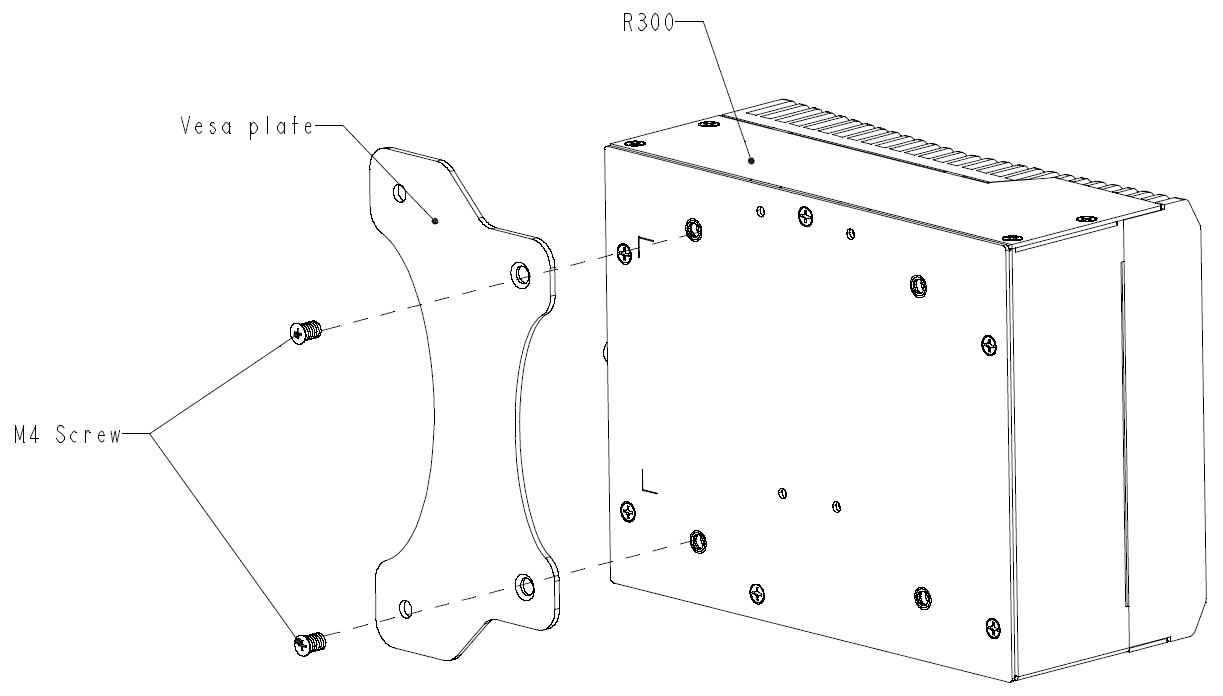
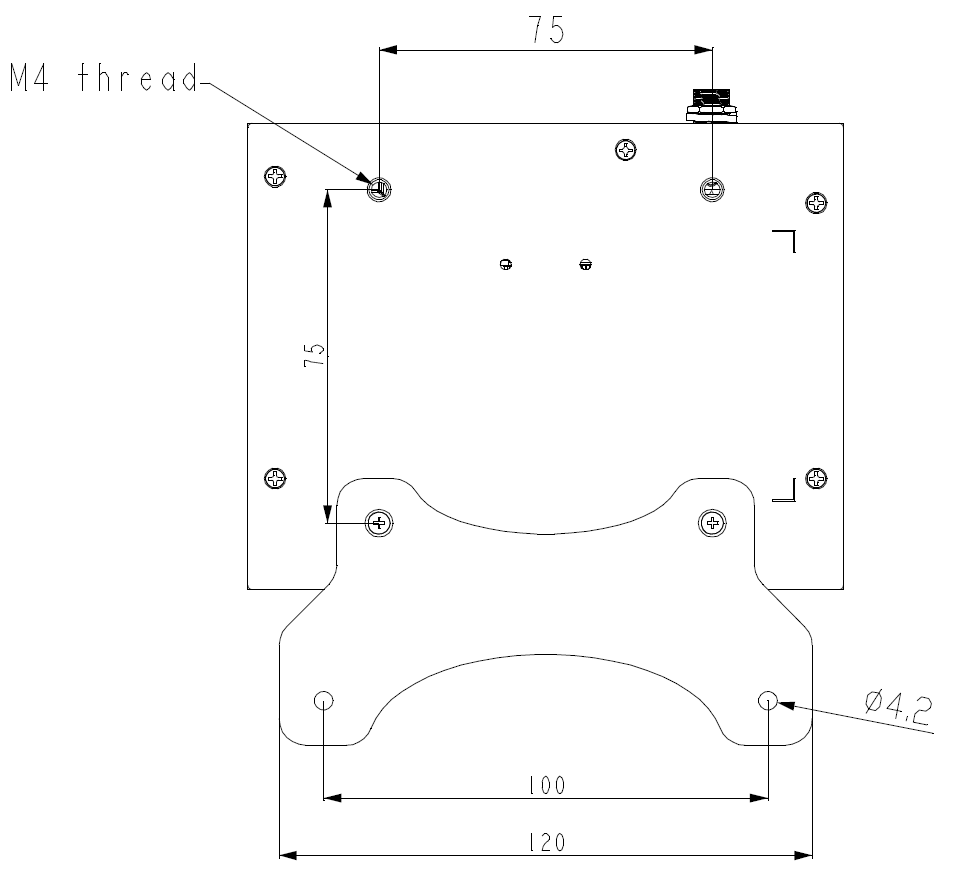
The ION-R300 supports mounting using built-in 75x75 mm VESA M4 threads and the included 75 mm to 100 mm adapter plate.
Typical mounting flow:
- Attach the VESA plate to the target mounting surface.
- Align the ION-R300 mounting points with the plate and secure the unit using the supplied hardware.
- Confirm that the unit is secure and that front cable clearance is maintained.
Warning
Do not overtighten the screws as it may cause damage to the ION-R300 or VESA mount-compatible device.
Heat Dissipation
For optimal cooling, ensure adequate airflow around the device during operation.
Do not cover the heatsink fins or otherwise obstruct airflow around the device.
Heat dissipation may be improved by mounting the device to a larger metal surface, such as a shelf, enclosure, or monitor mounting bracket, or by providing additional airflow around the device.