App key generation
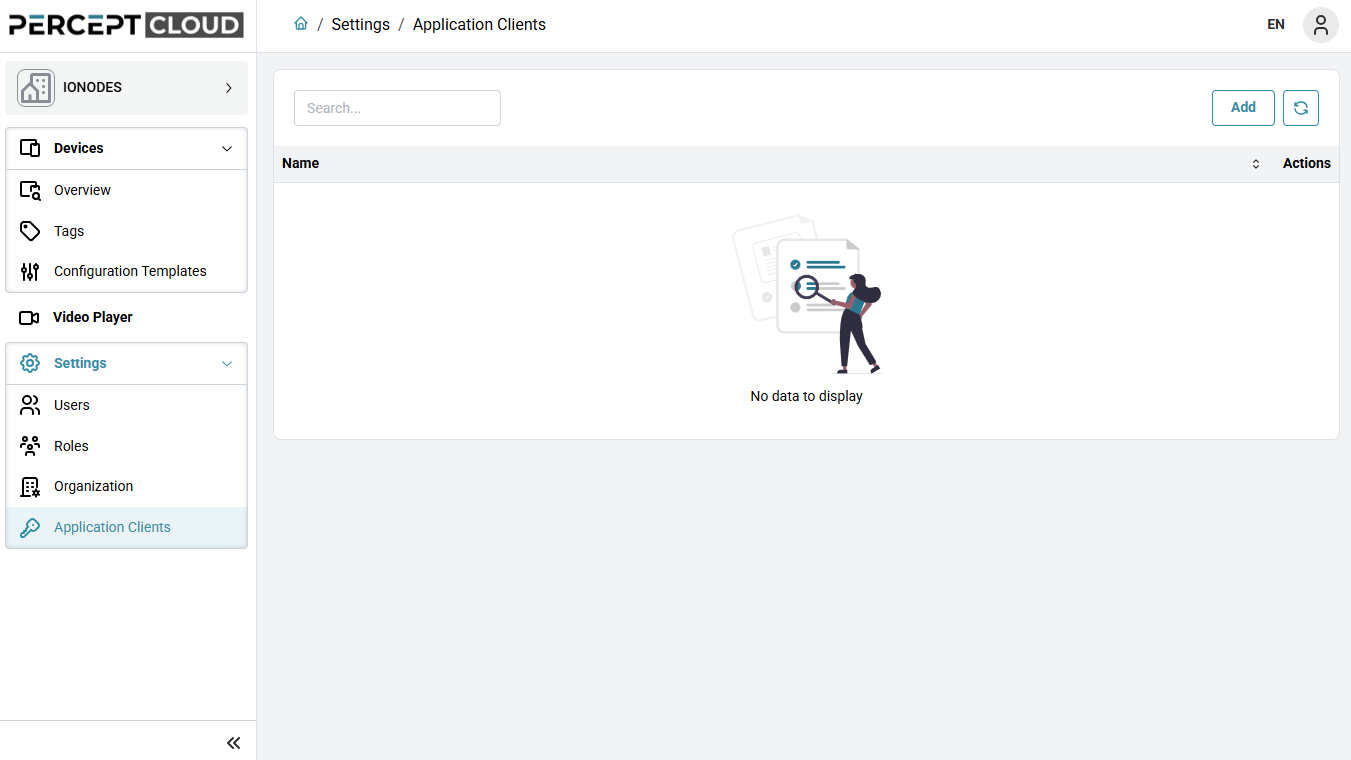
Open the Application Clients page
- Select the organization, then expand Settings in the left navigation.
- Select Application Clients.
The Application Clients page lists the application clients already defined for the selected organization.
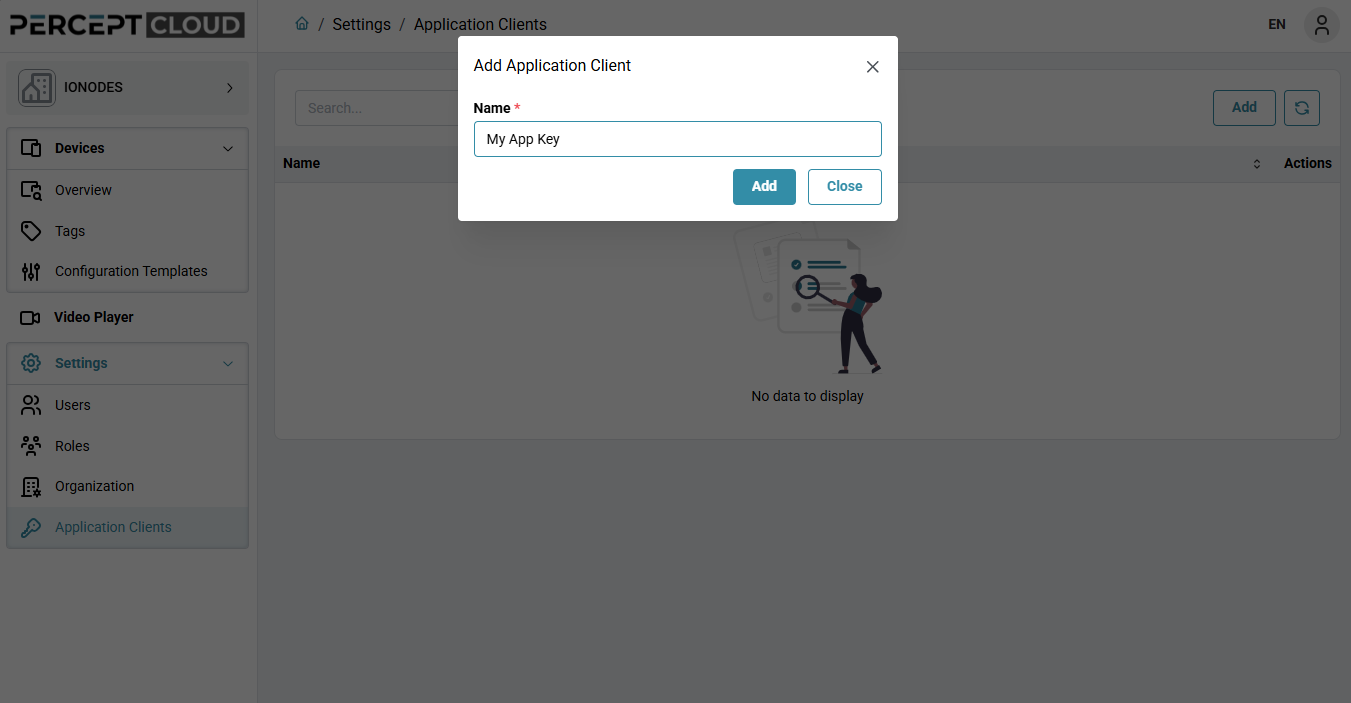
Add a new application client
- On the Application Clients page, click Add.
- Enter a name for the new application client.
- Click Add to create the new entry.
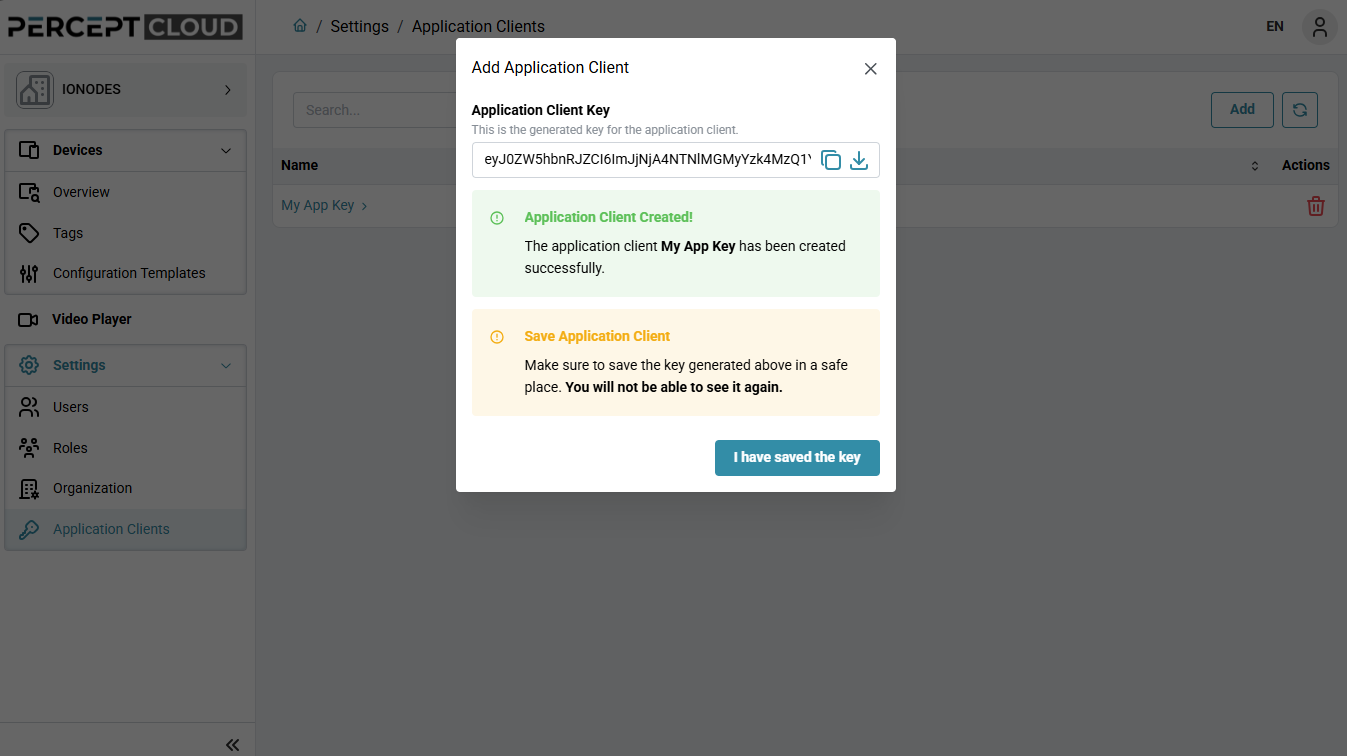
Save the generated key
After the application client is created, PERCEPT Cloud displays the generated Application Client Key.
- Copy or download the generated key.
- Save it in a secure location.
- Click I have saved the key to close the dialog.