Network
-
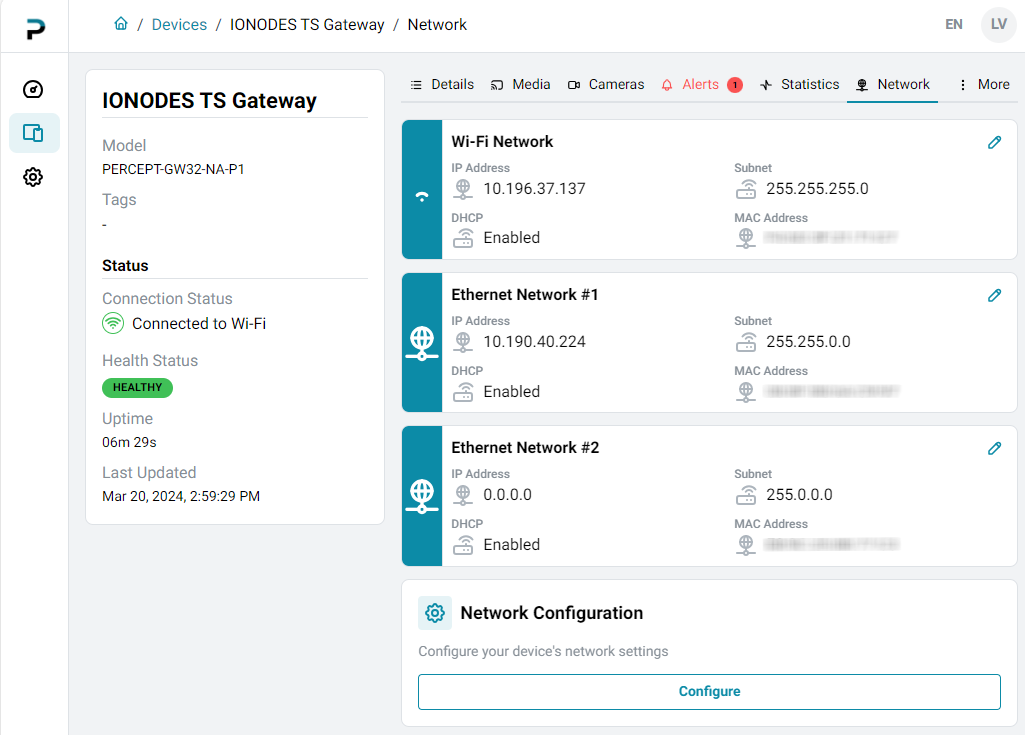
Open the device profile and select the Network tab.
-
Click an interface's Edit icon to view its details.
-
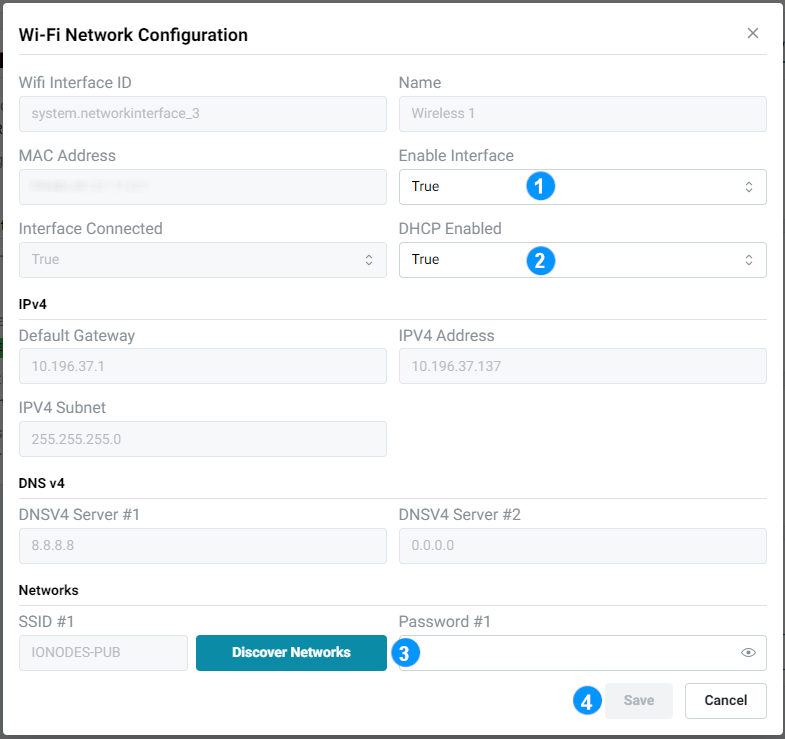
In the dialog, click Edit again to change its settings.
-
Enable or disable the interface.
- Enable or disable DHCP. When DHCP is disabled, enter static settings in the IPv4 and DNS v4 sections.
- For a wireless interface, click Discover Networks to scan for and select a Wi-Fi network.
- Click Save to apply the changes or Cancel to discard them.