Device onboarding
Product onboarding guides
For device configuration, QR-code or configuration-string enrollment, network requirements, and confirmation that the device is connected, use the applicable integration guide:
Add a device with MAC address and PIN
Have the device MAC address and PIN available.
- Open Devices > Overview and click Add.
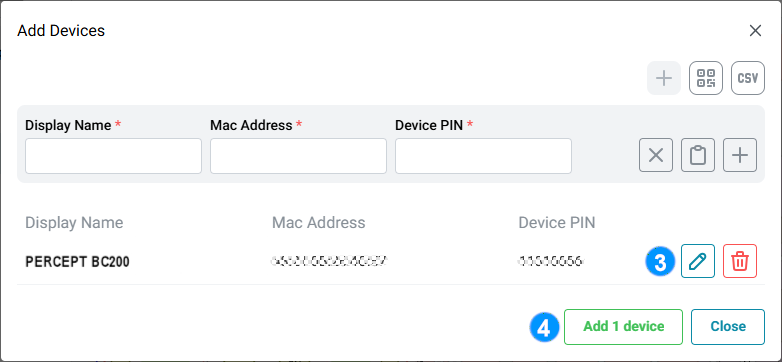
- In the Add Devices dialog, enter the device MAC address and PIN.
-
Review the device information.
Note
The PIN is a device-specific secret. It can typically be found on the product box. If it is not available, use the configuration string or QR code as described in the applicable product onboarding guide.
Add devices with a CSV import file
Prepare the CSV import file.
- Open Devices > Overview and click Add.
- In the Add Devices dialog, select the CSV import option.
- Select the prepared CSV file.
- Review the imported devices.