Maintenance
- Open the device profile.
- Select the Maintenance tab.
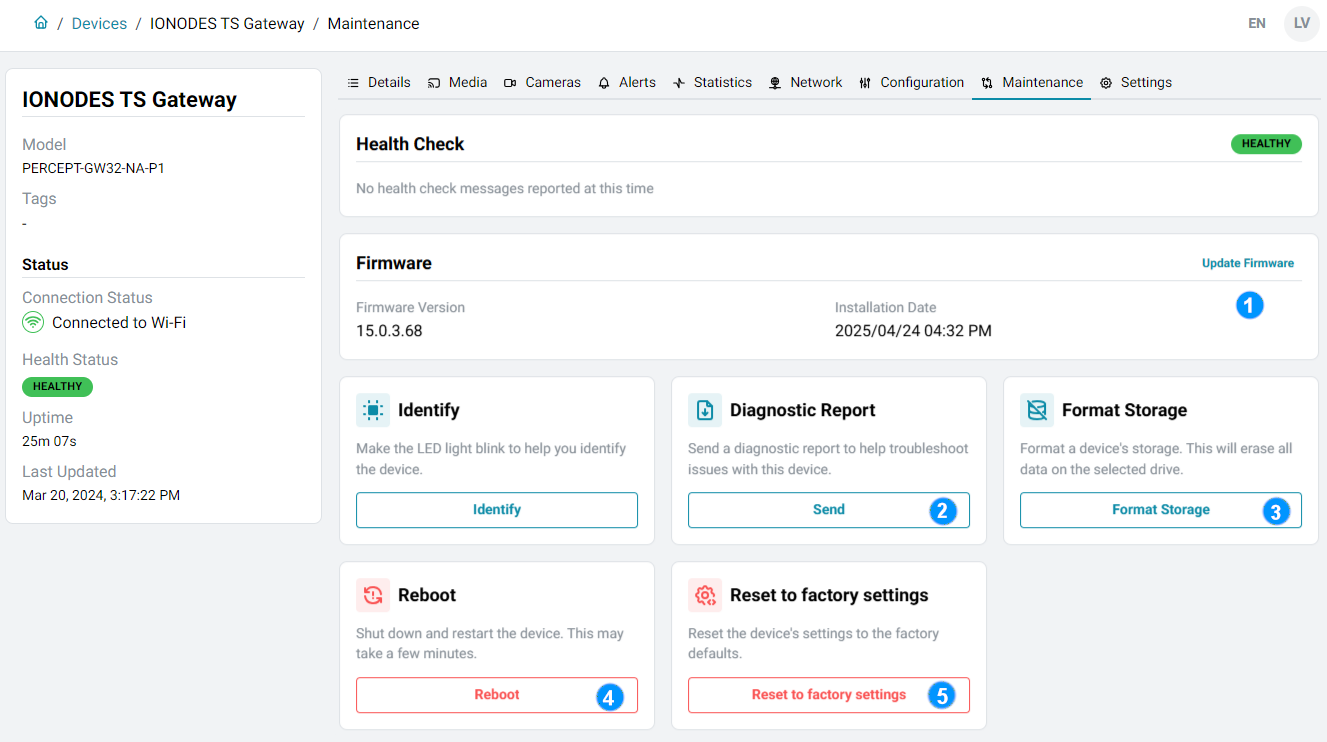
Available operations depend on the device type.
Firmware
View the current version and installation date, and install updates provided through PERCEPT Cloud. No separate firmware download is required.
Diagnostic report
Send an encrypted file containing configuration details and logs to IONODES technical support.
Format storage
Erase all recordings from the device's storage.
Reboot
Shut down and restart the device.
Reset to factory settings
Restore factory settings. The confirmation dialog also allows network settings to be reset and recordings to be deleted; both are retained by default.